PanorAi
Build spherical-image workflows without losing the geometry that gives their outputs meaning. Start with a ready-made application; move toward geometry only when the task needs more control.
Quick start
The shortest Stable workflow segments an equirectangular RGB panorama directly
on the sphere. Input is HWC float RGB; output is a typed integer label field
with its grid, support and validity beside the values.
from panorai import EquirectangularImage
from panorai.applications import SphericalSLIC

panorama = EquirectangularImage.sample("spherical-grid", size=(36, 18))

application = SphericalSLIC(n_segments=8, max_num_iter=2)
labels = application(panorama)

assert labels.kind == "labels"
assert labels.values.shape == panorama.shape_hw
assert labels.grid.is_canonical_erp
assert labels.support.shape == labels.validity.shape == panorama.shape_hw
Continue with the ten-minute quick start to inspect the result and reveal the equivalent Pipeline.
Choose an API level
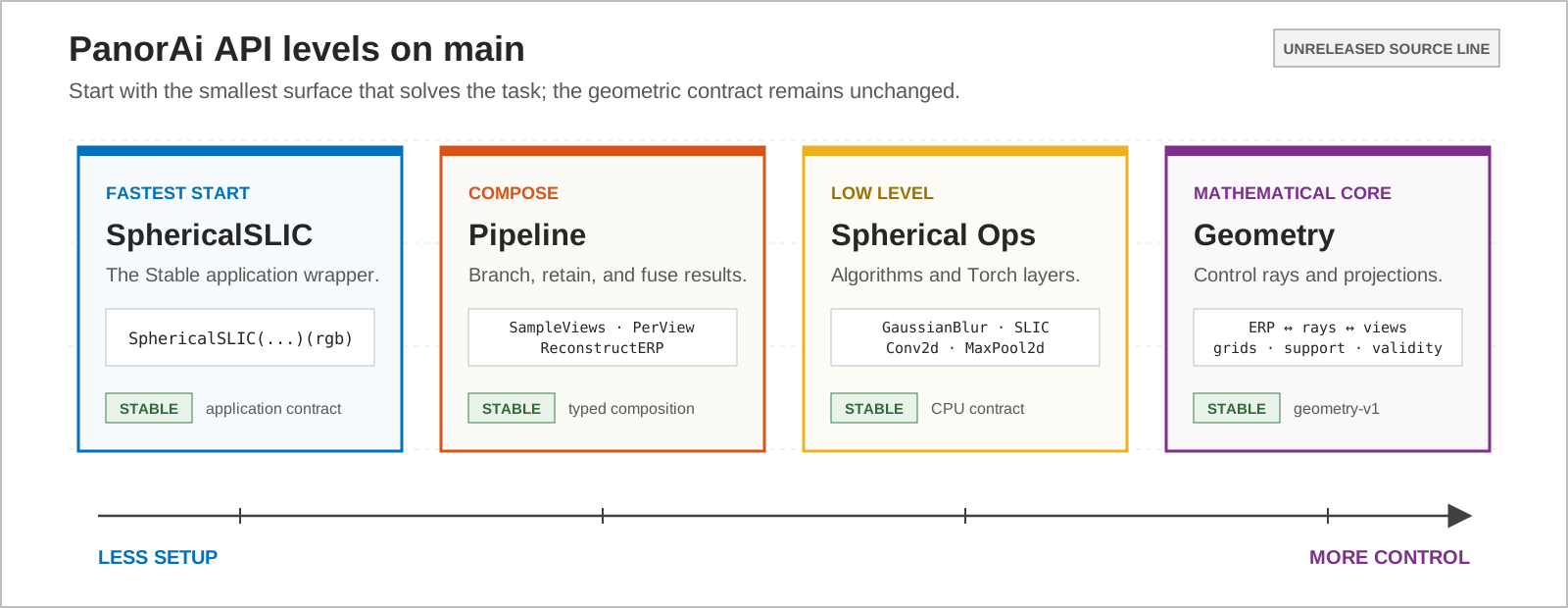
Solve an established task with one configured wrapper.
Start with: SphericalSLIC
Stable: SLIC wrapper
Compose direct-sphere and projected-view stages, branches and outputs.
Start with: Pipeline + OnSphere
Stable: generic composition
Apply filters, transforms, algorithms and Torch layers on spherical lattices.
Start with: GaussianBlur
Stable: general ops; SLIC
Control rays, projections, interpolation, grids, support and validity.
Start with: erp_pixels_to_rays
Stable: geometry-v1
The levels are not competing APIs. An Application may expose its Pipeline; a Pipeline may contain Spherical Ops; both ultimately obey the same Geometry contract. Moving right exposes more decisions without changing coordinates or data semantics.
EquirectangularImage is the common input object across all four levels, not
a fifth level. Start with open, resize, rotate, crop, filter and save when entering from an image-oriented
workflow.
Learn progressively
Each level has the same three-part route:
Level |
Tutorial: build it |
Concept: understand it |
Reference: look it up |
|---|---|---|---|
Applications |
|||
Pipeline |
|||
Spherical Ops |
|||
Geometry |
Already know the role you need? Open the component catalog to compare every Application, Stage, spherical operation, estimator, typed result and Geometry primitive. The catalog also links to an exhaustive inventory generated from the public API contract.
What remains invariant
Every level follows geometry-v1: pixel-centre coordinates, top-left image
origin, +X right, +Y up, +Z forward, longitude [-pi, pi), and
north-to-south latitude. Depth means radial range unless another quantity is
named. Geometric support, data validity and numeric value are distinct; black
RGB, label zero and range zero are not missing merely because they are zero.
The stability reference is authoritative. A Stable Pipeline does not promote an Experimental operation or application placed inside it.
Explore by outcome
After learning the four levels, use the capability guides for projection and processing, features and matching, pose and range, semantic regions, reconstruction and SLAM. These guides combine API levels around a computer-vision outcome.