Quick start
pip install panorai
EquirectangularImage is the ERP, GnomonicFace is one pinhole view, and
GnomonicFaceSet is the collection that processes and returns the views.
1. Multi-view: sample, process, fuse
import cv2
from panorai import EquirectangularImage

panorama = EquirectangularImage.open("room_360.jpg")
views = panorama.views("icosahedron", size=64, fov=100)
blurred = views.map(lambda image: cv2.GaussianBlur(image, (5, 5), 1.0))
result = blurred.reconstruct(blend="gaussian")
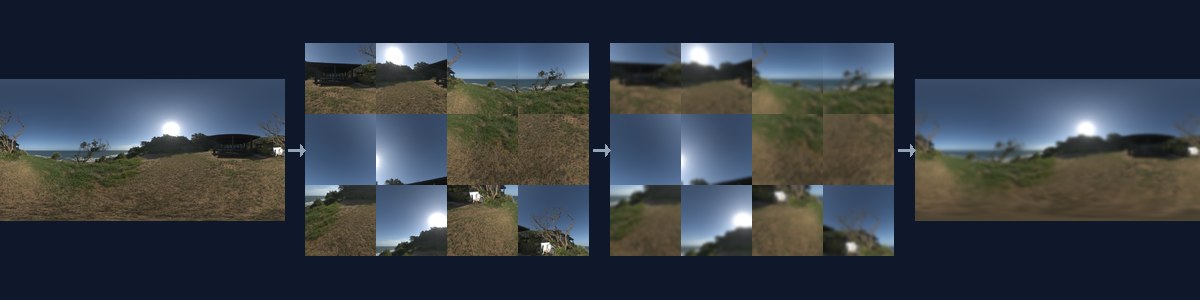
layout,size,fov: where and how densely to sample.face.spec: the exact path from each processed pixel back to the sphere.average/gaussian: continuous fusion;closest: labels and masks.Sampling and fusion methods: all sampling and fusion policies.
Compose planar operations and let process_views() perform the complete route:
def canny(image):
    gray = cv2.cvtColor(image.astype(np.uint8), cv2.COLOR_RGB2GRAY)
    return cv2.Canny(cv2.GaussianBlur(gray, (5, 5), 1.0), 40, 120)

edges = panorama.process_views(
    canny, layout="cube", size=64, fov=100, blend="closest"
)
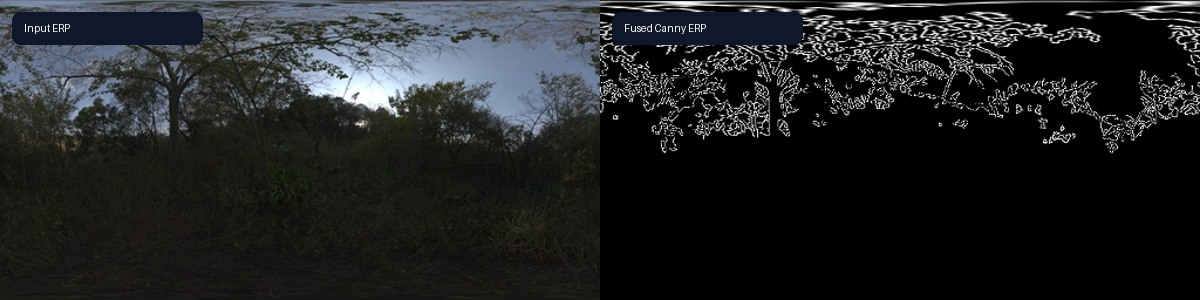
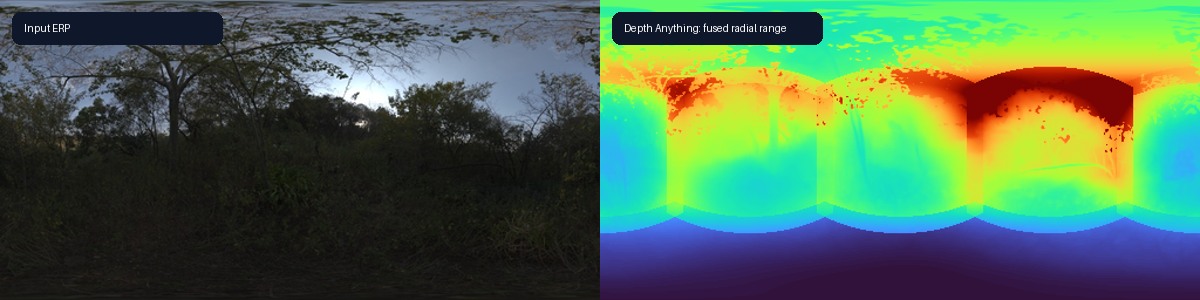
The same views.map(...).reconstruct(...) route runs
Depth Anything on
tangent views and fuses radial range.
2. Native spherical operations
A native operation produces the ERP result directly:
import numpy as np
from panorai.core.numpy import SphericalGradient

rgb = panorama.image
gray = rgb.mean(axis=-1, dtype=np.float32)[None, None] / 255.0
gradient = SphericalGradient(operator="scharr")(gray)
magnitude = np.hypot(gradient[:, 0::2], gradient[:, 1::2])

256×512 route |
Median |
Yaw MAE |
|---|---|---|
Native C++ Scharr |
1.89–1.91 ms |
0.00405 |
Cube → OpenCV → fusion |
22.61–27.71 ms |
0.00515 |
Two macOS arm64 trials, 15 reused calls each. See Image-processing routes.
Compose the same primitives into a DoG pyramid:
from panorai.core.numpy import SphericalGaussianBlur2d, SphericalResize

small = SphericalGaussianBlur2d(sigma=1.0)
large = SphericalGaussianBlur2d(sigma=2.0)
smooth_0 = small(gray)
dog_0 = large(gray) - smooth_0
octave_1 = SphericalResize(scale_factor=0.5)(smooth_0)
dog_1 = large(octave_1) - small(octave_1)
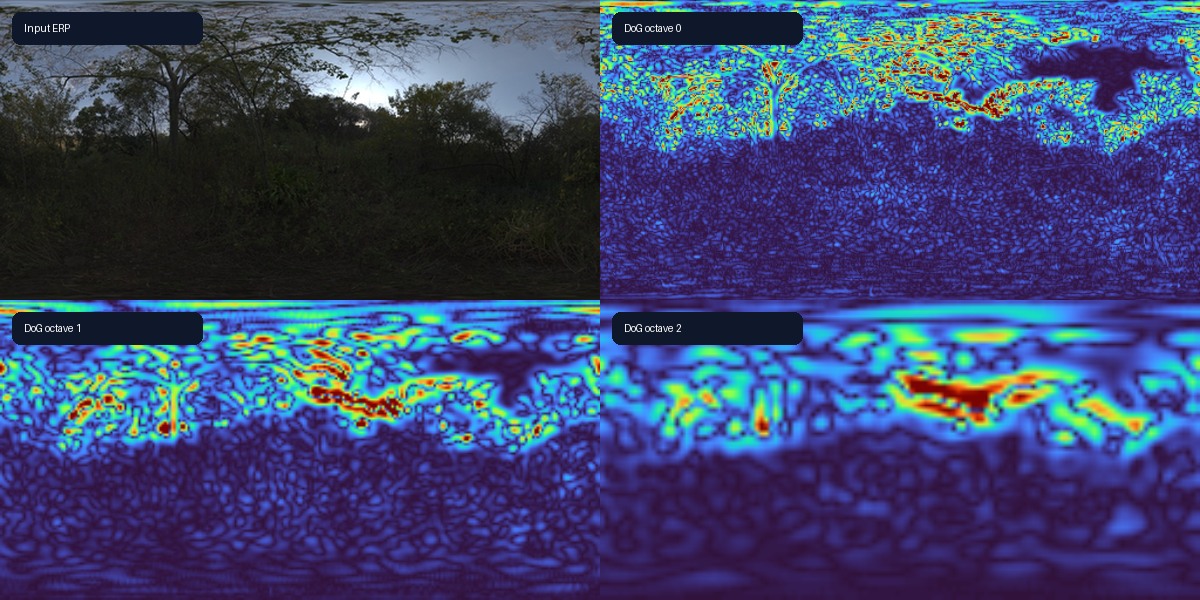
The core also exposes SphericalConv2d and SphericalMaxPool2d. Experimental
ports replace pretrained CNN spatial layers with ERP-native operations.
Metric3D uses spherical resize-convolution for its three learned upsamplers.
from panorai.experimental.deep_learning import load_spherical_metric3d_convnext_large_v1

metric3d = load_spherical_metric3d_convnext_large_v1(
    accept_upstream_terms=True, cache_dir=model_cache, device="cpu"
)
radial_range_m = metric3d.model(rgb_nchw_float32)
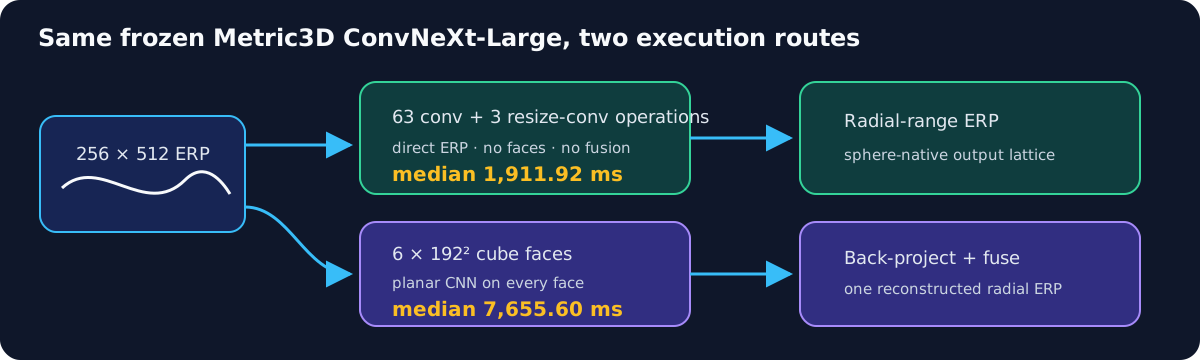
Public 256×512 CPU run |
Median |
P95 |
|---|---|---|
Native spherical CNN |
1,911.92 ms |
1,922.05 ms |
Six 192² faces + fusion |
7,655.60 ms |
7,709.24 ms |
fcn = ImageNetFCN(loaded.model, "resnet18").eval()
port_module_with_report(fcn)
cam = class_activation_map(fcn.forward_dense(normalized_erp).logits, 975)
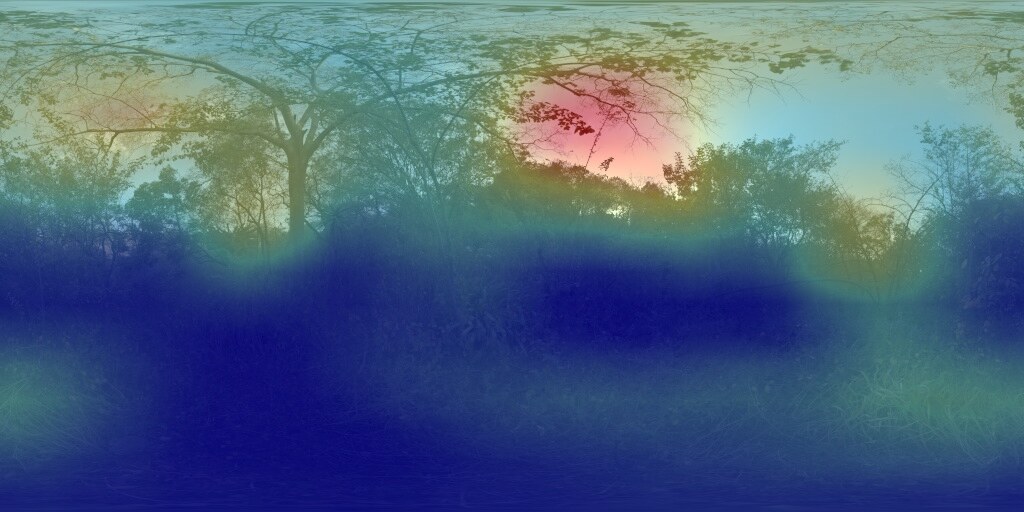
See Metric3D depth and ImageNet CAM.
3. View output types
Choose map() for rasters, map_points() for keypoints, map_regions() for
finite supports, or map_views() for one vector per view.
Dense raster
from panorai.data import RasterFieldSpec

logit_views = views.map(
    predict_logits,
    output="logits",
    spec=RasterFieldSpec.continuous(component_ids=class_names),
)
logits = logit_views.reconstruct(modalities="logits", blend="gaussian")
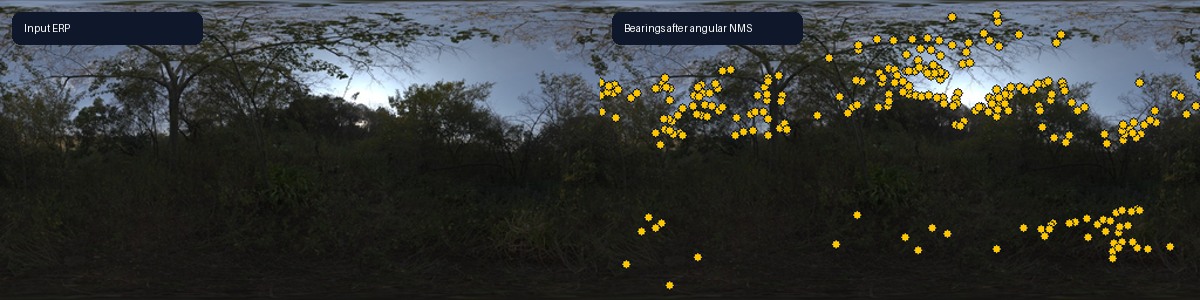
Points
points = views.map_points(detect_points, source_id="detector")
points = points.angular_nms(max_angle_deg=0.25).observations
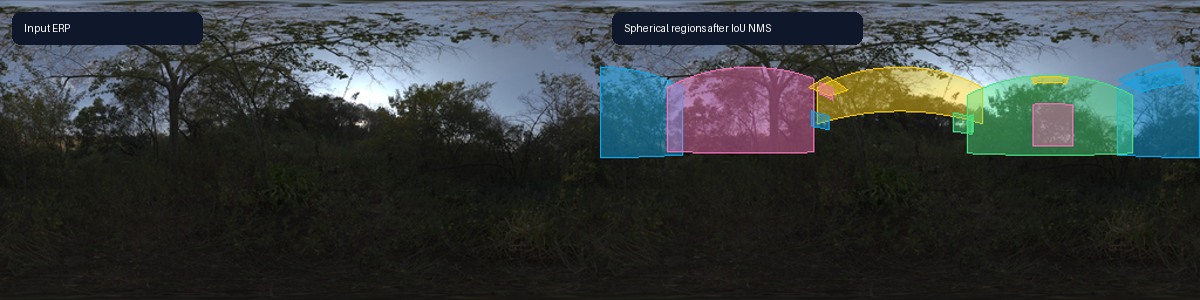
Regions
regions = views.map_regions(detect_regions, source_id="detector")
regions = regions.nms(iou_threshold=0.5).observations
Whole-view evidence
evidence = views.map_views(classify_or_embed, source_id="encoder")
global_evidence = evidence.aggregate("coverage_mean")
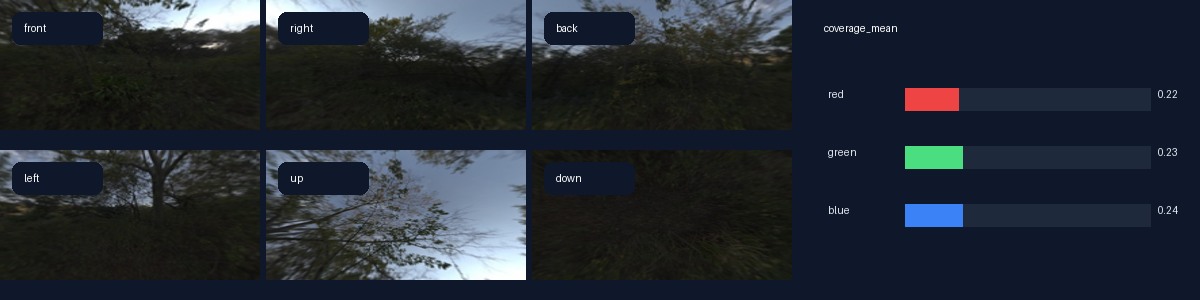
See Ergonomic workflow evolution for the typed contracts.
Next
Projection foundations: sphere, rays, views, samplers, and blenders — exact projection geometry
Composable spherical operations — NumPy/C++ and Torch primitives
API stability in 3.x — Stable and Experimental surfaces
Quick start and object workflow — complete capability map